Login
GKPI User Login
- Step 1 : Access the URL https://hsegkpidemo.azurewebsites.net/Account/Login in any web browser
- Step 2 :To login as GKPI Office 365 AD User, Click on the “GKPI Employee” button.
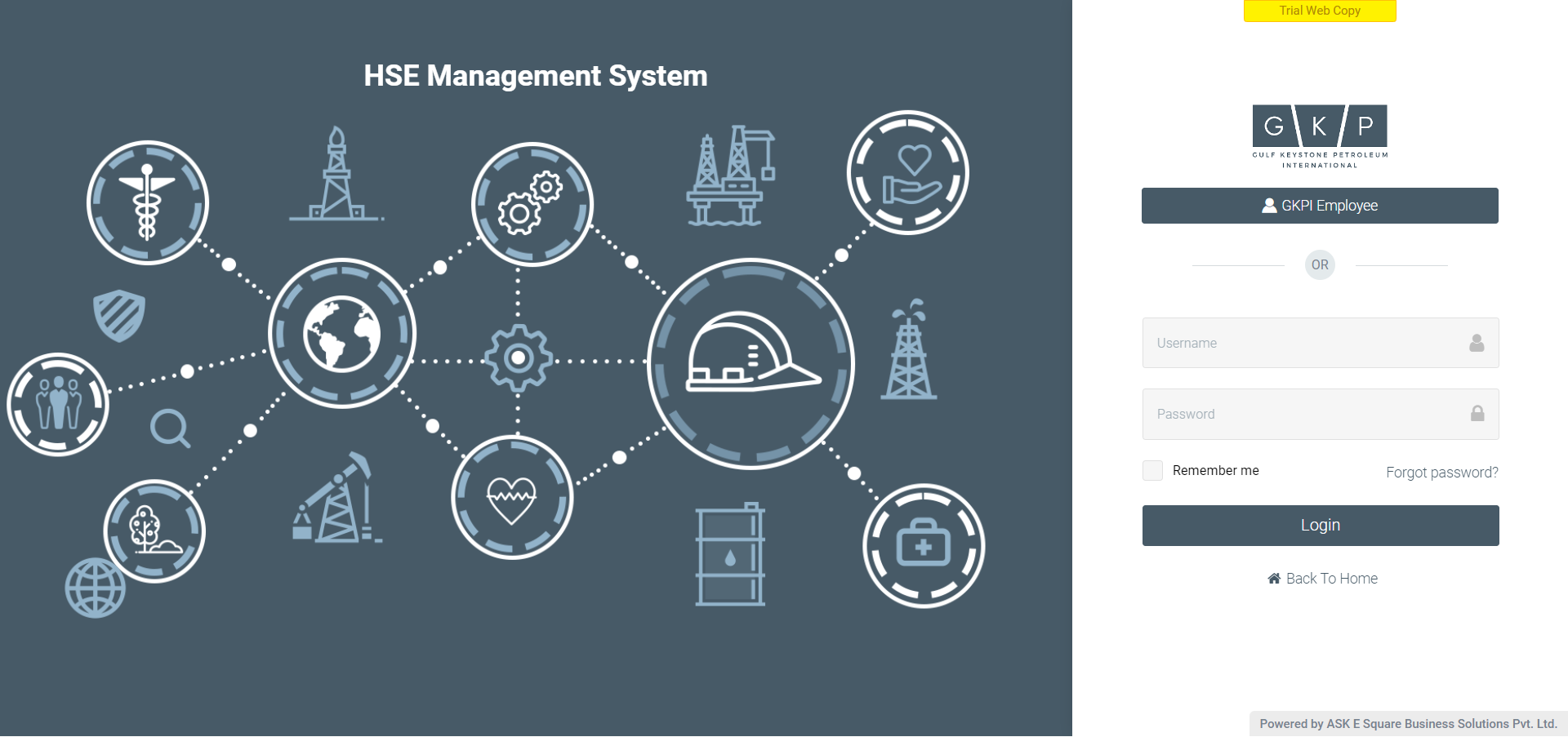
Image 1
- Step 3: Enter the Office 365 AD User Credentials, as Username and click on Next button Enter the Office 365 AD User Credentials, as Username and click on Next button
.png)
Image 2
- Step 4 : Enter the Office 365 AD User Credentials, as Password and click on Next button Enter the Office 365 AD User Credentials, as Password and click on Next button
.png)
Image 3
- Step 5 : If the user want to stay signed in on the device, select the “Don’t show this again” checkbox than click on “Yes” button.
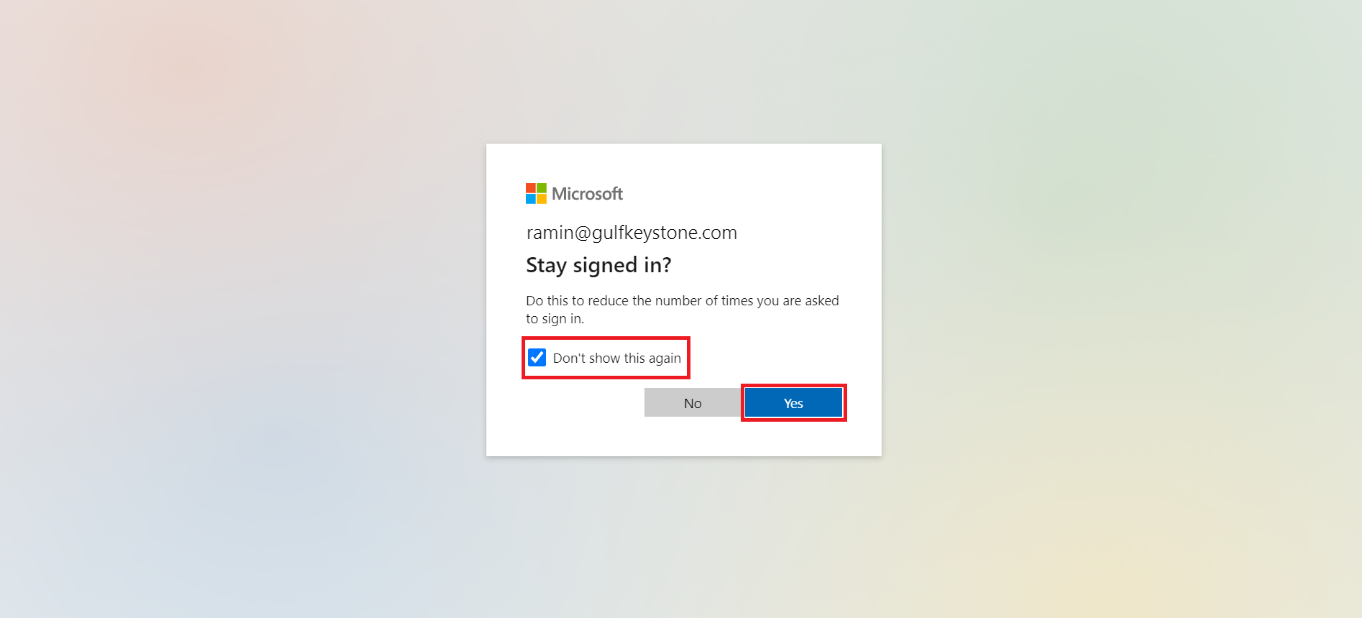
Image 4
-
Step 6 : On successful login using Office 365 AD User credentials, user will redirected to the GKPI HSE Management System User’s My Actions Page.
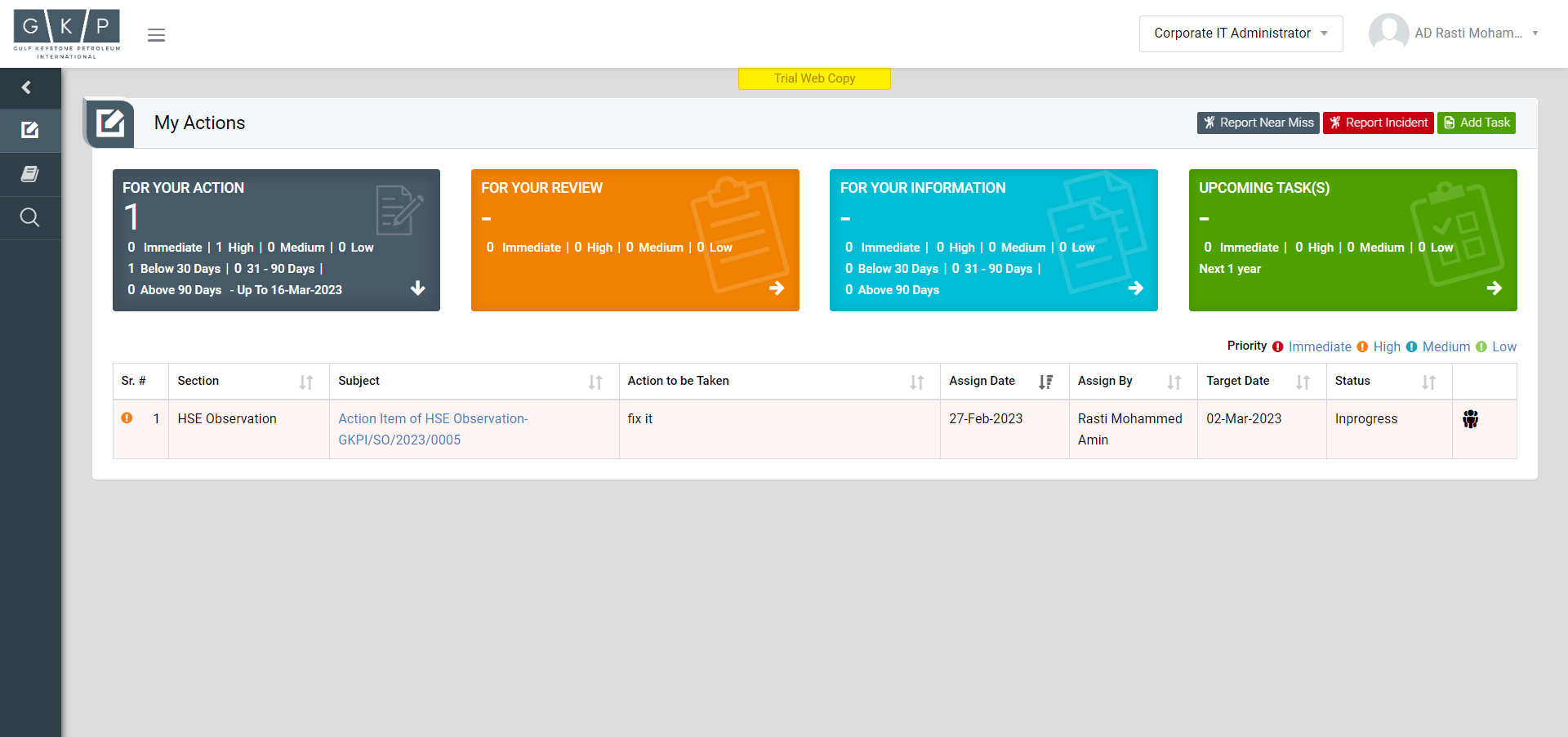
Image 5
-
Step 7 : To logout form the system
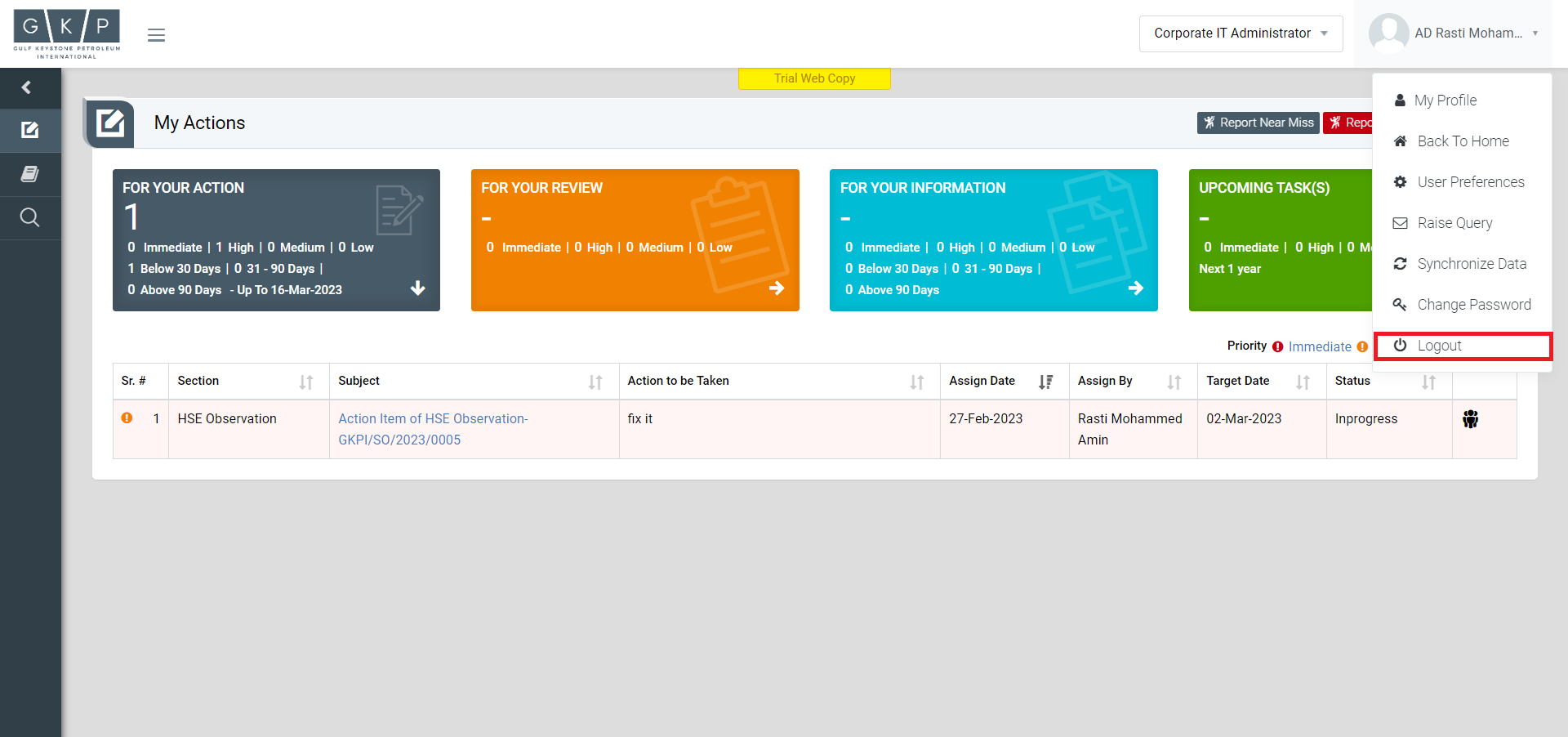
Image 6